

Last Updated: November 12, 2026
Quick Summary
Easy online booking for party venues lets you see real-time availability, compare package details, and reserve a time slot in one sitting instead of waiting on callbacks. You select your date, pick a slot, review the total and deposit terms, then pay and receive a confirmation email. At Jump Time, online booking and waivers are available 24/7.
- Set your date, time window, and guest count as filters before browsing any venue photos.
- A verbal hold is not a reservation; only a confirmed booking with a confirmation email locks your time slot.
- Ask for a full total in writing covering base rate, deposit, service charge, sales tax, and add-ons.
- Read the rental agreement and cancellation policy before paying, and save them with your confirmation.
- Jump Time has four party rooms seating up to 35 guests each in Villa Rica.
Table of Contents
- Why Easy Online Booking for Party Venues Saves You Hours
- How to Search, Filter, and Compare Venue Listings
- Reading Pricing and Availability Without the Guesswork
- The Step-by-Step Online Booking Process
- Questions to Ask Before Booking a Party Venue
- Your Party Venue Booking Checklist
- Book Your Party Room at Jump Time
- Frequently Asked Questions
Why Easy Online Booking for Party Venues Saves You Hours
Easy online booking for party venues replaces the phone-tag loop of calls, voicemails, and “we’ll get back to you” with a calendar, a price display, and a confirmation.
The old way costs you real time.
Online booking compresses that into one sitting. You see what’s open, what it costs, and what’s included, then you reserve.
Consumer Affairs report on service booking complaints notes that slow response times sit near the top of consumer frustrations with service businesses. Party planning is no exception.
What Online Booking Actually Handles for You
A good booking platform does four jobs at once. It shows real-time availability, so you never reserve a room someone else already took. It can display pricing and package details up front. It can collect guest count and contact information in one form. And it can send a confirmation with next steps.
The part most people miss: online booking also locks in your time slot. A verbal “we’ll hold it for you” is not a reservation. A confirmed booking is.
How to Search, Filter, and Compare Venue Listings
Start with filters, not browsing. A venue marketplace or a venue’s own site will let you narrow by date, time slot, party size, and event type before you look at a single photo.
Here’s the order that works:
- Set your date and time window first. Availability drives everything else.
- Enter your guest count. Guest capacity filters out venues that can’t hold your group.
- Filter by event type (birthday party, corporate event, group booking) to remove irrelevant listings.
- Compare venue details side by side: room capacity, amenities, party package inclusions, and rental duration.
- Shortlist two or three and check photos and amenities against your must-haves.
A common mistake is falling for venue photos before checking capacity. A beautiful event space that seats 20 is useless for a 35-guest party.
Reading Pricing and Availability Without the Guesswork
Pricing on a booking platform can appear in several different forms, and pricing depends on quantity, dates, and delivery. For current prices or a quote for Jump Time, see our website.
Before comparing venues, ask for a full total so you can see what each quote includes.
The Line Items That Make Up a Real Total
A venue quote is only comparable when it includes every charge you could owe. Ask for each of these in writing before you pay anything:
- Base package rate, the price for the room and stated inclusions.
- Per-guest charge, confirm whether a per-guest charge applies and whether adults count.
- Deposit, confirm the deposit amount and its terms.
- Service charge or booking fee, confirm whether any fee applies beyond the quoted rate.
- Sales tax, confirm whether the quote is tax-inclusive.
Confirm in writing whether any deposit is refundable, transferable to a new date, or forfeited on cancellation.
Reading an Availability Calendar Correctly
An open slot on a calendar is not automatically the slot you want. Check three things before you select it:
- Buffer time. Some venues block time between parties for cleaning and reset. A slot that looks back-to-back may leave no room for your setup.
- Rental duration. Confirm whether the time slot is the party window or the full rental window, including setup and cleanup.
- Held vs. confirmed. A slot held by phone is not reserved. Only a confirmed booking with a confirmation email locks the time.
Questions That Reveal the True Cost
Ask these before you compare venues side by side:
- Is the quoted rate tax-inclusive, and what fees apply at checkout?
- Does the rental window include setup and cleanup?
- Is the deposit refundable, and under what conditions?
- What is the cancellation and reschedule policy?
- Are there minimum guest counts?
For our own party packages and current rates, see our pricing details.
The Step-by-Step Online Booking Process
The booking process can be completed quickly if you have your details ready. Here is the general sequence, from time slot to confirmation, plus checks worth making before you pay.
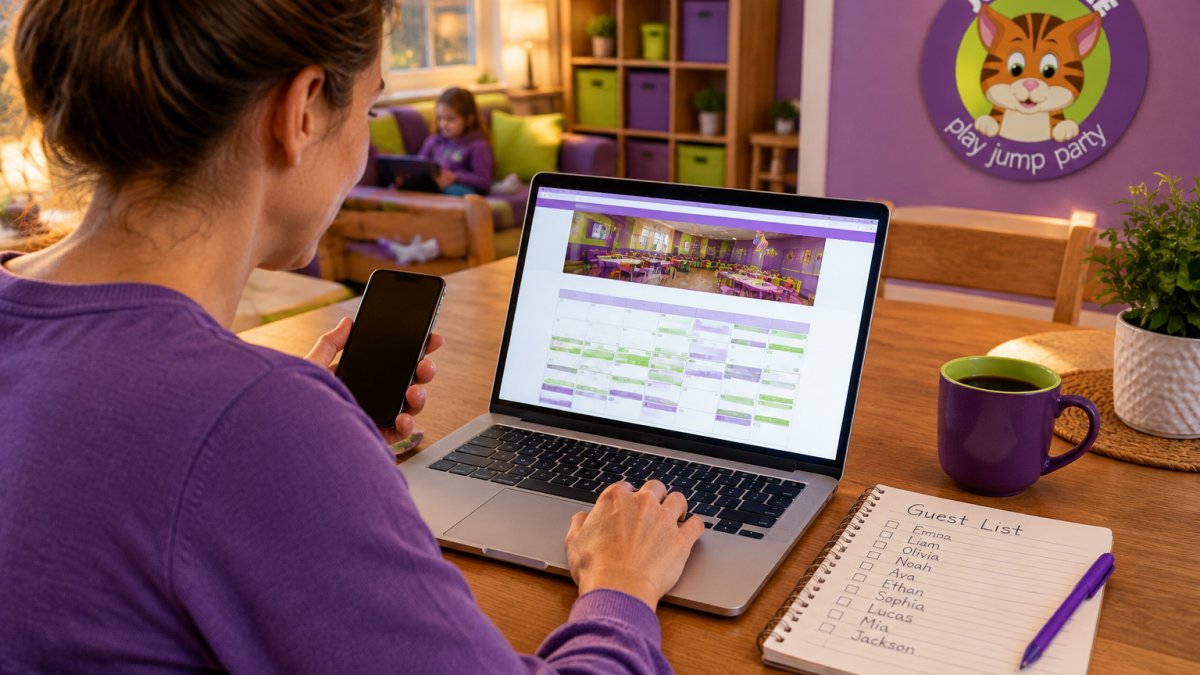
What to Have Ready Before You Start
- Your preferred date and a backup date
- A realistic guest count, including adults
- The party’s time window and rental duration
- Names and ages of attendees, if the venue needs them for waivers
- A payment method for the deposit
- Any accessibility or dietary needs
Verify the Listing Before You Trust It
When you book without visiting in person, the listing is your only evidence. Check it against these points:
- Photos match the space. Look for recent photos of the actual party room, not just a stock image or a wide shot of the building. Ask whether the photos show the room you are booking.
- Amenities are listed, not assumed. Confirm which amenities are included and which are available on request.
- Capacity is stated for your event type. A room that seats 35 for a seated meal may hold fewer for active play. Ask for the capacity for your specific party format.
- Reviews mention the same room and package. Recent reviews that name the party room and staff are stronger evidence than generic star ratings.
- Address and hours are current. Confirm the venue’s hours match your time slot, especially for evening or weekend parties.
From Time Slot to Confirmation
- Select your date on the availability calendar.
- Pick a time slot that gives you enough rental duration for setup and cleanup.
- Choose your party package and confirm what it includes.
- Enter guest count and contact details in the booking form.
- Review the quote or total, including deposit and cancellation terms.
- Read the contract or rental agreement before you pay. Confirm the cancellation window, reschedule terms, damage policy, and who is responsible for supervision.
- Pay the deposit through the online payment step.
- Submit waivers for each child through the link in your confirmation.
Watch out: a confirmation page is not a contract. Save the rental agreement and the cancellation policy alongside your confirmation email, because the terms you agreed to at checkout are the ones that apply if plans change. Keeping those terms in view also helps you weigh the commitment of a private rental against your event’s needs, as you might when considering Nick’s Comedy Stop.
Accessibility and Safety Checks to Confirm Online
Before you finalize, confirm these with the venue or in the listing:
- Accessibility. Ask about entry, restrooms, and parking for guests with mobility needs.
- Supervision. Ask who supervises the play areas and what the adult-to-child ratio is during your party.
- Permitted activities. Ask whether outside food, decorations, or entertainers are allowed.
- Insurance and waivers. Ask about liability coverage and when waivers must be signed.
- Quieter areas. Ask whether there is a calm space if a child gets overwhelmed, and how busy the venue is during your slot.
You should receive a confirmation email within minutes. If it doesn’t arrive, check spam before assuming the booking failed.
At Jump Time, our online booking and waivers are available 24/7, so you can reserve a party room at 10 p.m. You can start your party booking whenever you’re ready.
Here is the general sequence from time slot to confirmation, plus what to have ready before you start.
| Step | What to do |
|---|---|
| 1 | Select your date on the availability calendar |
| 2 | Pick a time slot with enough rental duration |
| 3 | Choose your party package and confirm inclusions |
| 4 | Enter guest count and contact details |
| 5 | Review the quote or total, including deposit terms |
| 6 | Read the contract or rental agreement before paying |
| 7 | Pay the deposit through the online payment step |
| 8 | Submit waivers for each child via the confirmation link |
Questions to Ask Before Booking a Party Venue
Ask these before you pay a deposit. The answers separate a smooth party from a stressful one.
- What’s the cancellation and refund policy? Get it in writing.
- What’s the total cost, including deposit, add-ons, and any service charge?
- How many guests does the room hold, and is there a minimum?
- What’s included in the party package: setup, cleanup, tableware, staff?
- When are waivers due, and can they be signed online?
- Is the space accessible for guests with mobility needs?
If your child gets overwhelmed easily, ask whether the venue has quieter areas and how busy it gets during your time slot. That single question changes the whole experience for some families.
For quick answers to common booking questions, our frequently asked questions cover the details parents ask us most.
Your Party Venue Booking Checklist
Use this before you hit “reserve.” It takes two minutes and prevents most booking mistakes.
- Date confirmed with your backup option noted
- Guest count finalized, including adults
- Venue capacity verified against guest count
- Party package inclusions reviewed
- Total cost calculated: base, add-ons, deposit, service charge
- Cancellation and refund policy read
If you want the bigger picture on timing, guest lists, and budget, our guide to planning a stress-free kids birthday party walks through the whole timeline. And if you’re still choosing between venues, browse the party packages and event options we offer.
Book Your Party Room at Jump Time
The gap between a good party and a chaotic one usually comes down to booking decisions made weeks earlier. Confirm capacity, read the policy, calculate the real total, and get your confirmation in writing.
At Jump Time, we’ve made that part simple. Our family-owned indoor play center in Villa Rica has four party rooms seating up to 35 guests each, a climate-controlled facility, and online booking with waivers available around the clock.
Get started with Jump Time and reserve your party room online.
Frequently Asked Questions
What information should I have ready before booking a party venue online?
Have your date and a backup date, an approximate guest count, the ages of the children attending, and your total budget range. Know whether you want food included or will bring your own cake and snacks. Have a card ready if a deposit is required to hold the time slot. With those details in hand, most online booking forms take under ten minutes to complete, and you avoid starting over because you guessed at the guest count.
How do I confirm my reservation after booking a venue online?
Look for an email confirmation that lists the date, time slot, rental duration, guest capacity, and what the party package includes. Save that email and check it against your booking inquiry before you send invitations. If the confirmation does not arrive within a few hours, call the venue directly rather than rebooking, since a duplicate reservation can create a double charge. Many venues also let you log into your account to view the reservation status.
Is it safer to book through a venue’s own website or a third-party platform?
Booking direct on the venue’s website usually gives you the clearest picture of availability, amenities, and policies, because the calendar is the venue’s own. Third-party marketplaces are useful for browsing and comparing several event spaces at once, but confirm the final details with the venue before paying. Whichever route you use, read the cancellation terms and confirm whether the deposit is refundable before you submit payment.
How can online booking save time when planning a children’s birthday party?
Online booking replaces phone tag with a live calendar, so you can check availability, pick a time slot, and reserve in one sitting, often outside business hours. Digital waivers mean parents sign before the party instead of forming a line at the door. You also get written confirmation of the guest capacity, rental duration, and party package, which cuts down on the back-and-forth that eats into event planning time in the final week.

Recent Comments